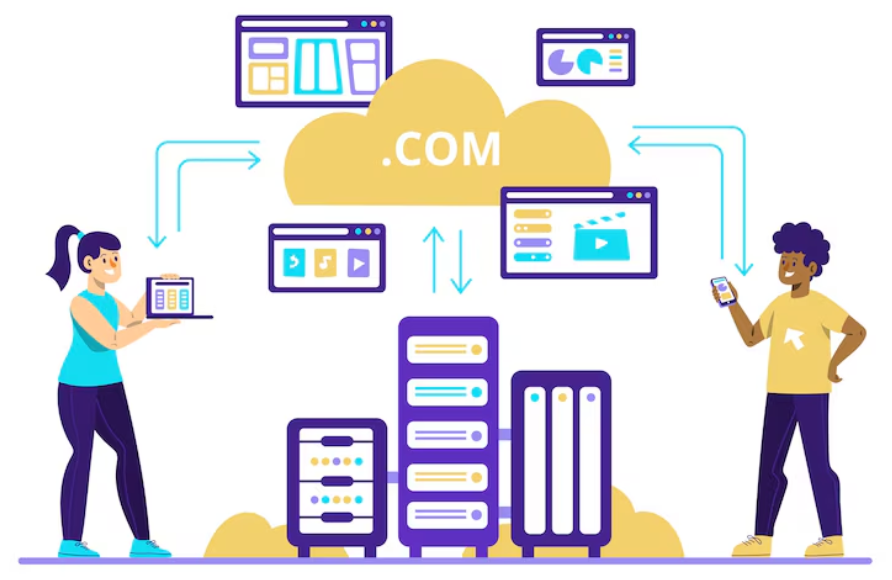
How to Migrate Your Website to a New Hosting Provider Safely is a critical process for any online business. Whether you are looking for faster speeds, better security, or more reliable uptime, moving your website requires careful planning to avoid downtime, data loss, or SEO issues.
For affiliate marketing sites, dropshipping business stores, or passive income websites, an incorrect migration can impact traffic, revenue, and user trust. In this guide, we will cover step-by-step strategies to migrate your website safely and efficiently.
Understanding the Risks of Website Migration
Website migration involves transferring all files, databases, emails, and configurations from one hosting provider to another. Risks include:
- Downtime affecting user experience
- Broken links or missing files
- Loss of SEO rankings
- Data corruption or incomplete backups
By following best practices, you can minimize these risks and ensure a smooth transition.
Step 1: Choose the Right Hosting Provider
Before you begin migration, select a reliable hosting provider that matches your website’s requirements. Consider:
- Server speed and uptime guarantees
- Security features including SSL and malware protection
- Scalability for growing websites
- 24/7 customer support
Some recommended providers include SiteGround Hosting, Bluehost Hosting, and Namecheap Hosting, which are known for reliability and strong performance for online business sites.
Step 2: Backup Your Website Completely
Backing up your website is the most crucial step before migrating. A full backup ensures that you can restore your website in case anything goes wrong.
Make sure to include:
- Website files (HTML, CSS, JS, media)
- Database files
- Email accounts and settings
- Plugins and configurations (for WordPress or CMS platforms)
You can use tools like UpdraftPlus for WordPress or cPanel backup features provided by most hosting providers.
Step 3: Test the New Hosting Environment
Before transferring your website publicly, test your new hosting environment. This includes:
- Uploading a temporary version of your website
- Checking server configurations and PHP versions
- Testing email functionality
- Verifying SSL installation
Testing ensures that your affiliate marketing or dropshipping business website will run smoothly once migration is complete.
Step 4: Transfer Website Files and Database
For WordPress and other CMS websites, you can transfer files manually via FTP or use migration plugins. For static sites, download all files from the old hosting and upload them to the new server.
Steps include:
- Export your database from the old host using phpMyAdmin.
- Create a new database on the new host and import the files.
- Update configuration files to match the new database credentials.
Ensure you migrate all passive income tracking codes, scripts, and custom plugins to avoid functional issues.
Step 5: Update DNS Settings Safely
After migration, point your domain to the new hosting server. Update the DNS records through your domain registrar:
- Change the A record to point to the new server IP
- Update MX records for email if necessary
- Set proper TTL (Time-to-Live) values to reduce downtime
DNS propagation may take up to 48 hours. During this period, ensure your old server remains active until traffic is fully switched over.
Step 6: Test Your Website Post-Migration
After migration, thoroughly test your website to verify:
- All pages load correctly
- Forms, checkout processes, and login areas work
- Images, videos, and media files appear properly
- SEO settings, meta tags, and URLs remain intact
Check analytics and tracking codes to ensure no disruption in your affiliate marketing or online business data collection.
Step 7: Monitor SEO and Performance
Website migration can affect SEO rankings if not handled correctly. To protect your SEO:
- Keep the same URL structure if possible
- Implement 301 redirects for changed URLs
- Submit your new sitemap to Google Search Console
- Monitor rankings and traffic using Google Analytics
Properly executed migrations help maintain authority and traffic for passive income or dropshipping business sites.
Step 8: Use Professional Migration Services (Optional)
If you are not confident performing the migration yourself, consider professional services. Many hosting providers offer free or paid migration services:
Professional assistance reduces risk, saves time, and ensures your online business remains uninterrupted.
Tips to Ensure Long-Term Website Stability
- Regularly backup your website on the new host
- Keep all software, plugins, and themes updated
- Monitor uptime and server performance
- Secure your website with SSL and strong passwords
Following these steps prevents future issues and maintains user trust, which is essential for affiliate marketing and dropshipping business success.
Conclusion
Knowing How to Migrate Your Website to a New Hosting Provider Safely is essential for online business owners, affiliate marketers, and dropshipping business operators. A careful, step-by-step approach minimizes downtime, protects SEO, and ensures all functionalities remain intact.
By selecting a reliable hosting provider, creating full backups, testing environments, and monitoring post-migration performance, you can make the process smooth and risk-free. Proper migration allows your website to grow faster, remain secure, and deliver a seamless experience to your visitors.
Take the time to plan and execute your migration carefully—your passive income streams and online reputation depend on it.
